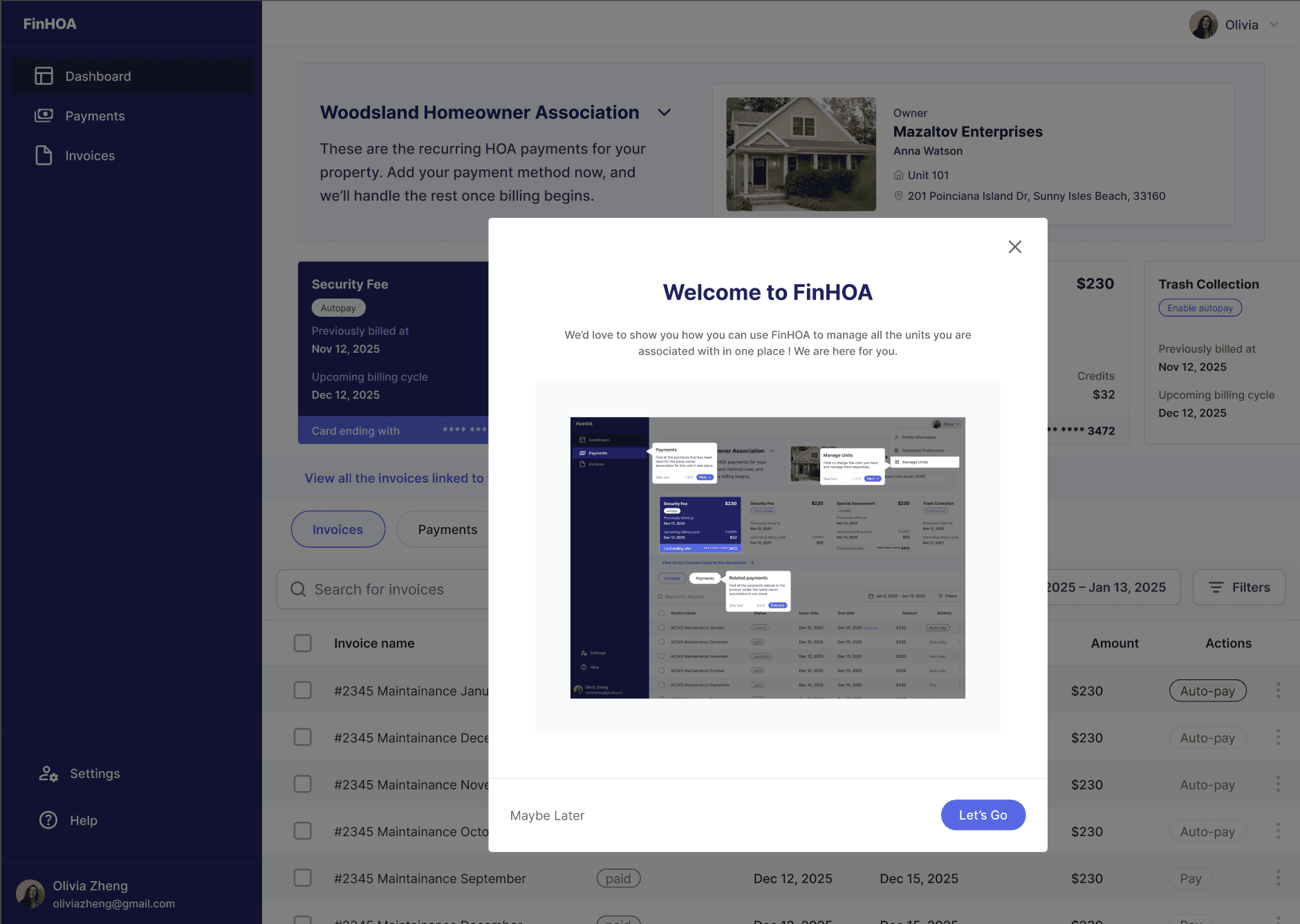
Overview
FinHOA is a property-tech fintech platform that helps homeowner associations collect dues reliably while giving homeowners a simple way to pay, track, and automate their HOA bills.
I led the design of the end-to-end payment experience, covering invoices, one-time payments, recurring auto-pay, receipts, and notification systems.
Role & Scope
Product / UX Designer
End-to-end payment experience
Web platform
Collaboration with product manager and engineers
Problem
Most homeowners were still paying HOA invoices manually using legacy portals, mailed checks, or one-off payments.
This caused:
Missed or late payments
Manual reconciliation for associations
Poor visibility into payment history
No simple way to automate recurring dues
The system treated each invoice as an isolated event instead of part of an ongoing financial relationship.
Goal
Design a system that:
Makes recurring payments the default mental model
Reduces late and missed payments
Supports multiple payment methods (card, ACH, bank, wire)
Provides clear confirmations and receipts
Respects PCI security constraints
Feels simple for non-technical homeowners
Key Insight
Most HOA charges are predictable (monthly, quarterly, yearly).
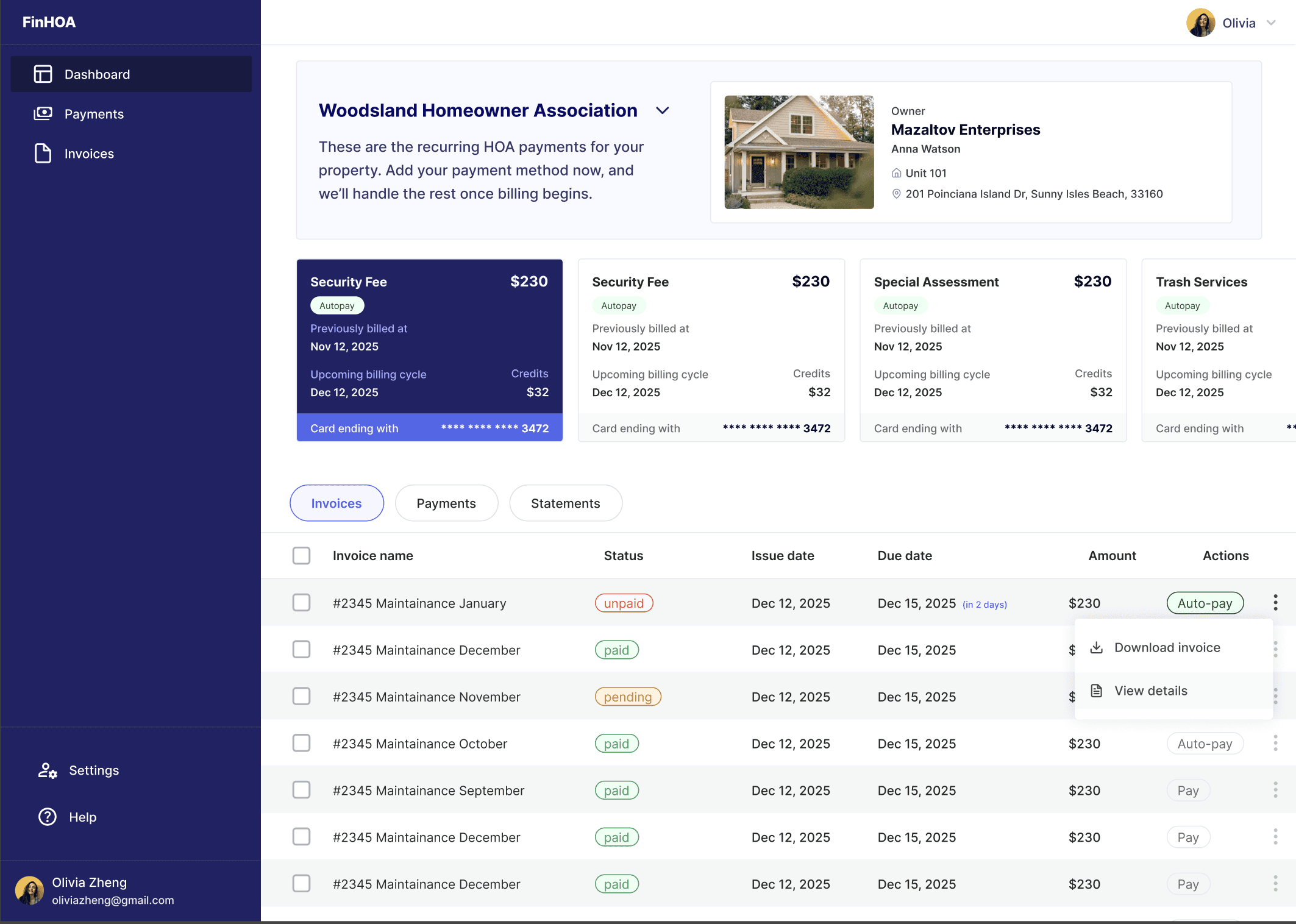
Instead of centering the experience around invoices, I reframed the system around recurring payment types (Maintenance, Parking, Trash, Security, etc.).
Every one-time payment becomes an opportunity to turn into a recurring payment.
Core Strategy
Recurring-first architecture
Invoices = what is owed
Payments = what happened
Recurring Payments = future automation
These exist independently but stay connected.
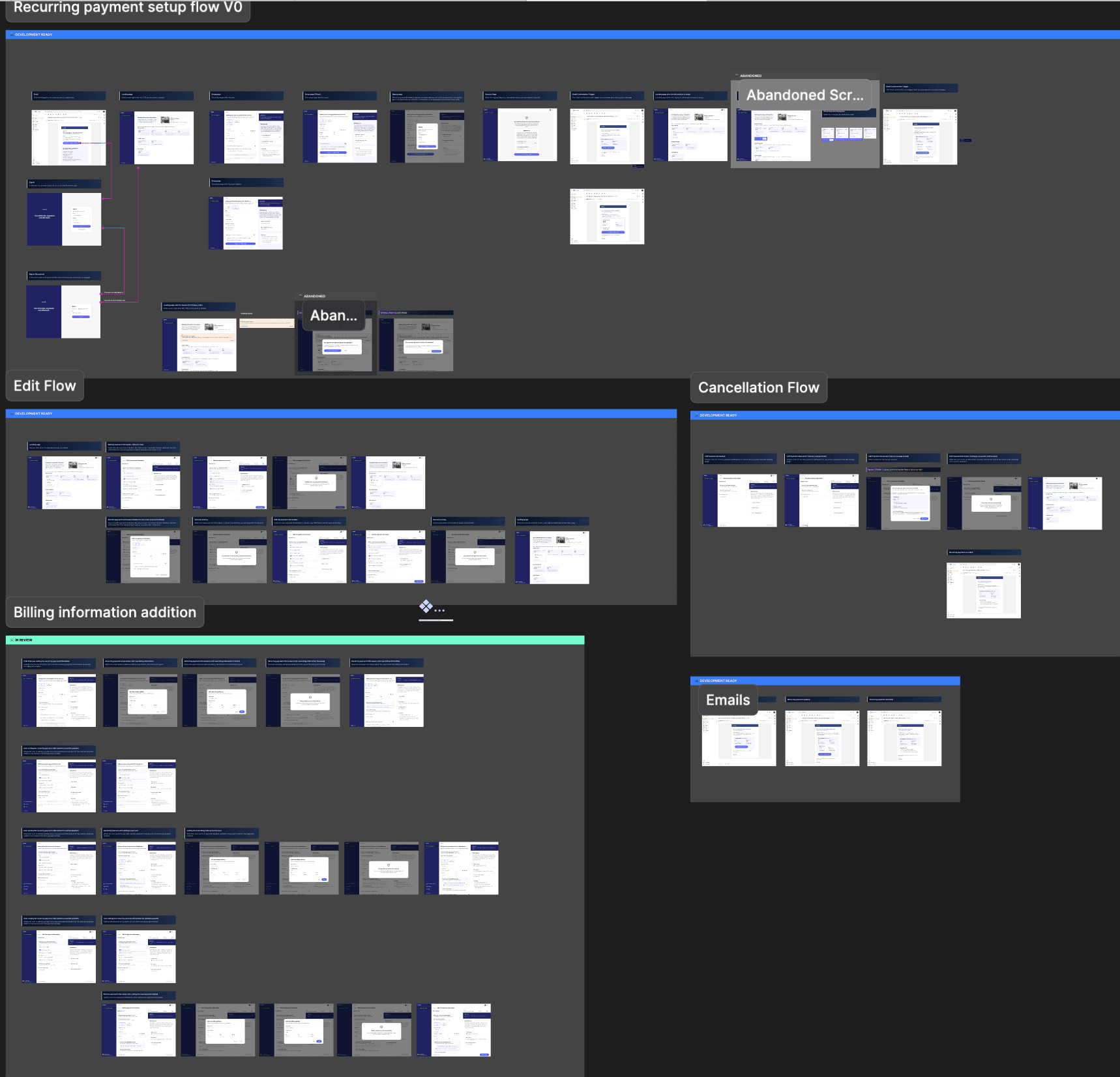
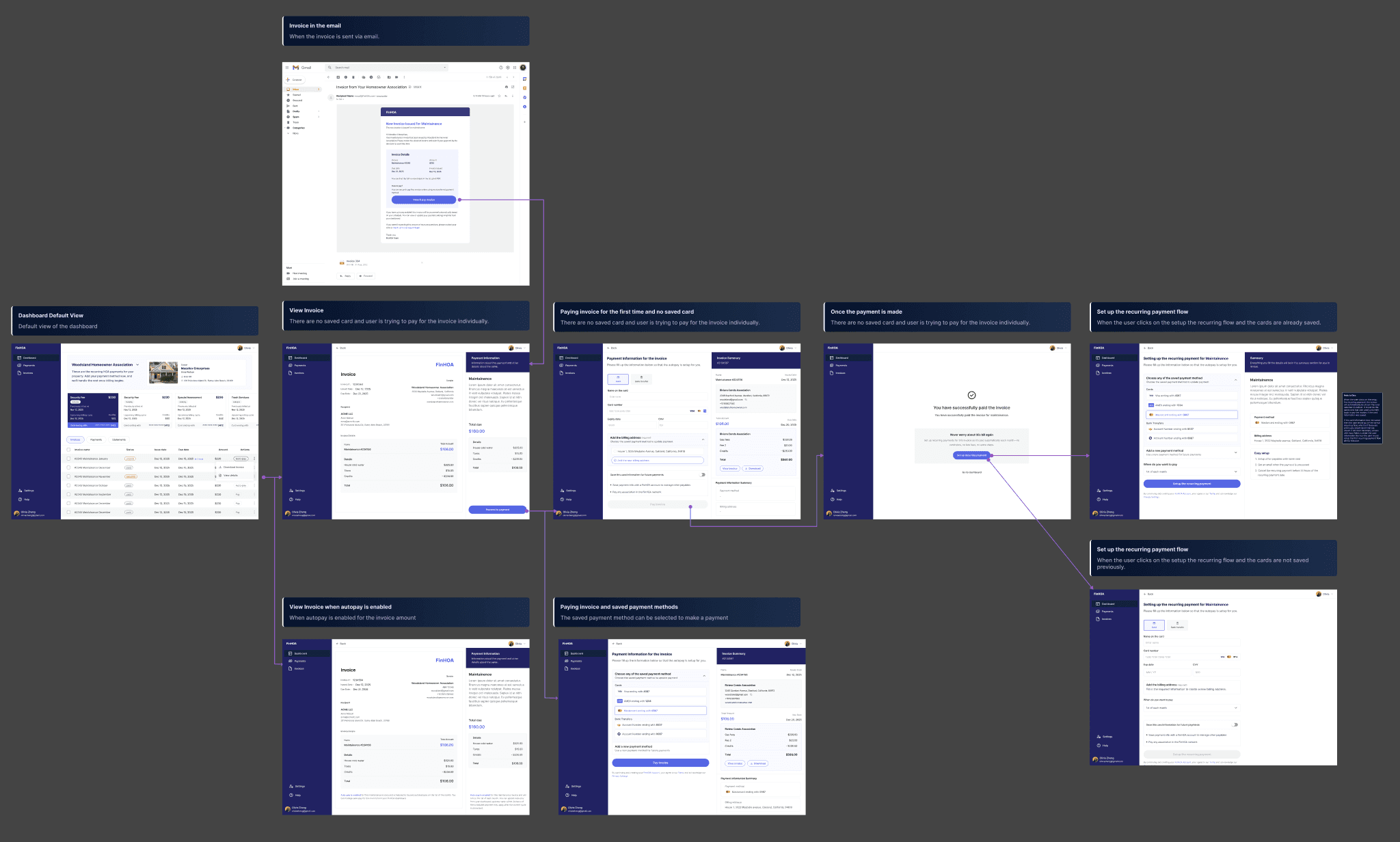
High-Level Flow
Homeowner receives invoice email
Opens invoice → pays once
Sees payment success
Prompted to enable recurring for that bill
Sets payment method + billing date
Autopay runs automatically each cycle
Designing Under PCI Constraints
FinHOA does not store or access raw card numbers.
All card data is handled directly by the payment processor.
This means:
No card numbers shown
No last-four digits available
No card summary screens
Design response:
Instead of confirming card details, I confirm payment method type + success state:
Payment method: Credit Card
Status: Saved and active
This preserves user confidence without violating security.
Key Experiences
Landing from Email
Explains system upgrade
Shows recurring payment categories
CTA: Set up recurring payment
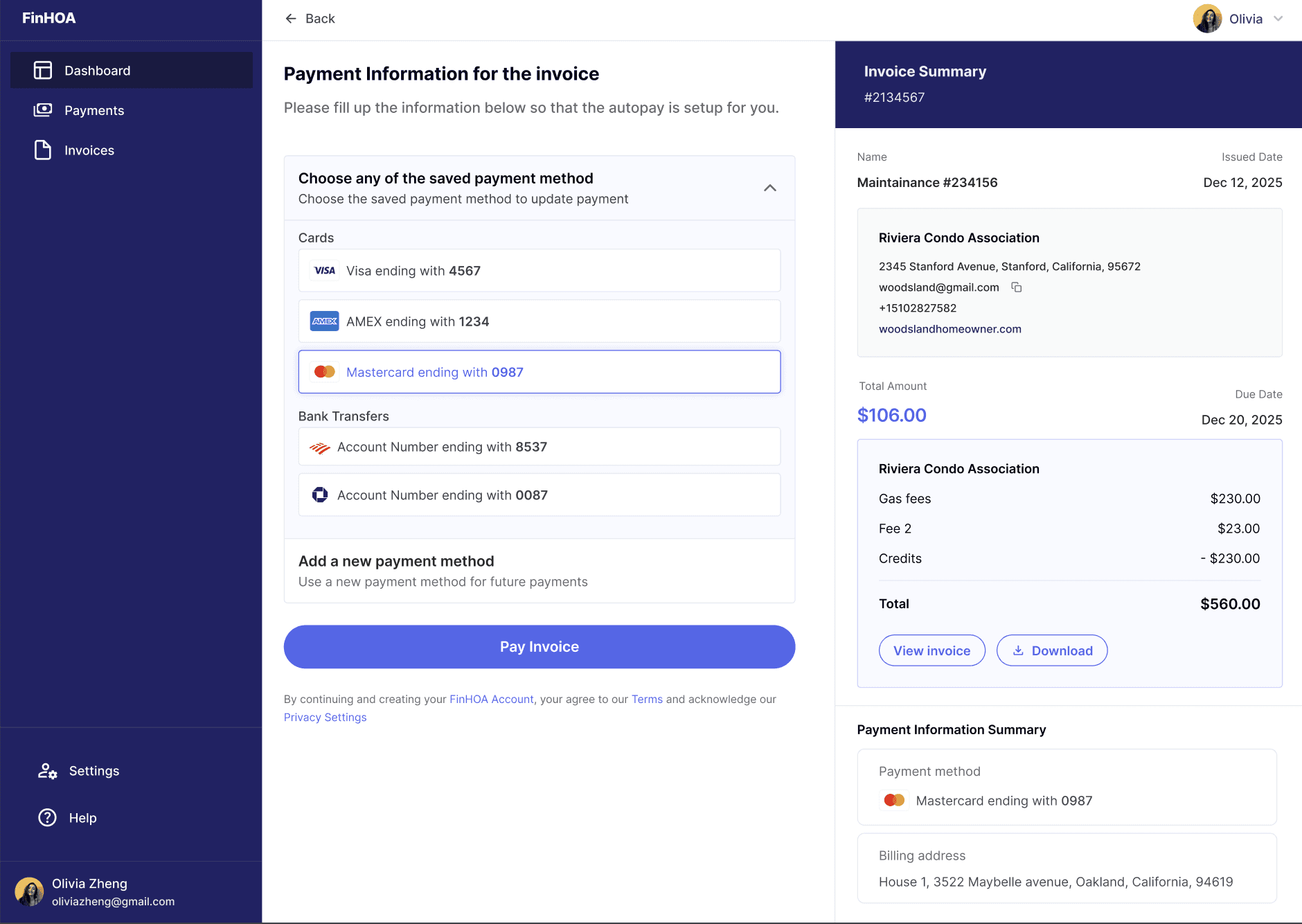
Payment Setup
Choose saved method or add new
Choose billing date
Fee disclosure
Single primary CTA
Success States
Payment successful
Recurring payment set up
Changes saved
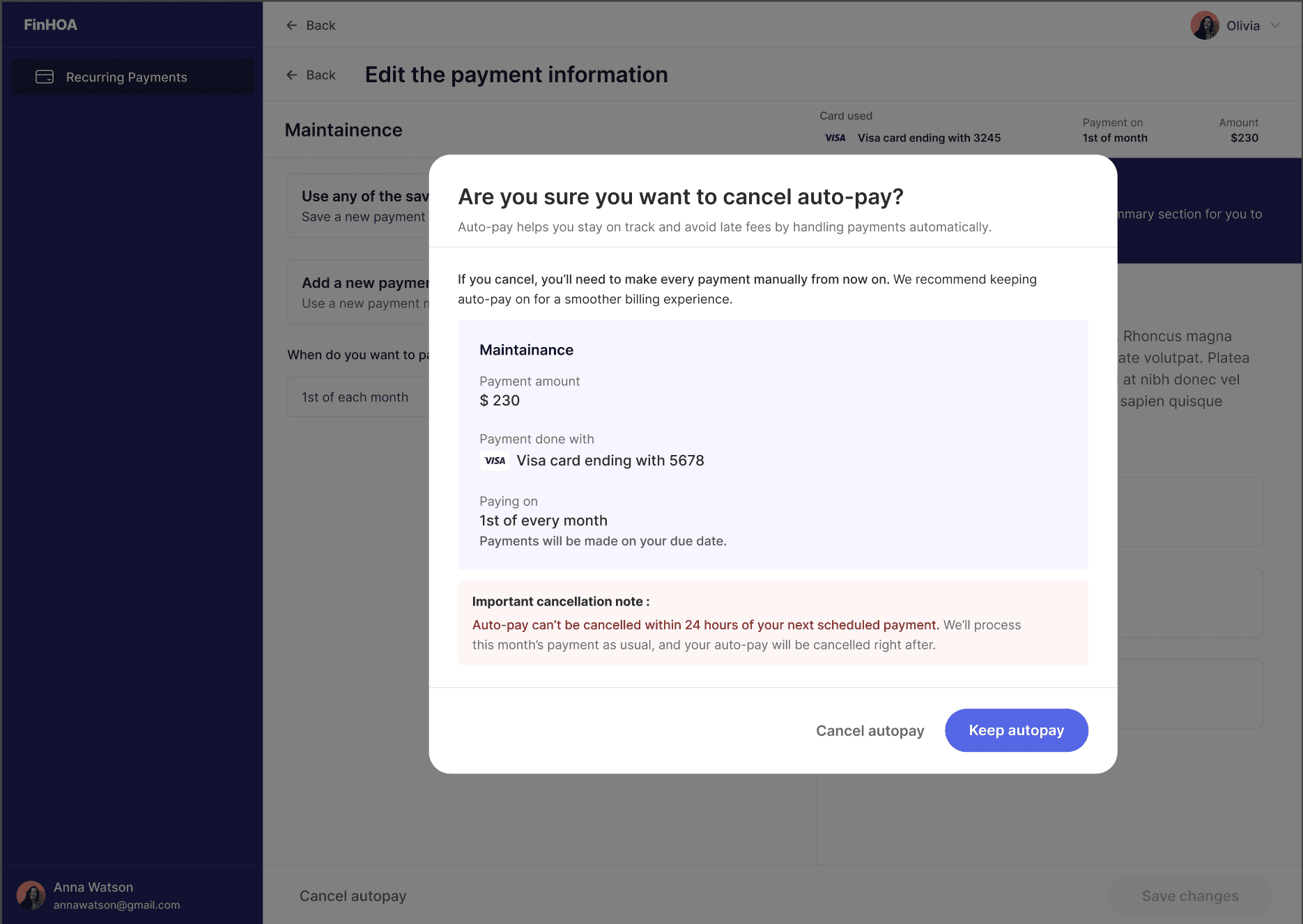
Autopay cancelled
Receipts & PDFs
Invoice metadata
Association info
Line items
Total amount
Payment method
Autopay status
Email Notifications
Invoice issued
Payment confirmation
Recurring set up
Recurring updated
Recurring cancelled
Upcoming autopay reminder
All emails follow a consistent structure.
Microcopy as Product Behavior
Microcopy was used intentionally to shape user behavior:
“Never worry about this bill again”
“Auto-pay can’t be cancelled within 24 hours of your next scheduled payment”
“If you pay with a credit or debit card, a 3.49% processing fee will be applied”
Clear, calm, and human.
Impact
Reduced manual payments
Increased likelihood of autopay adoption
Fewer late payments
Clear audit trail for homeowners and associations
Scalable foundation for future billing features